
Helix Toolbox
Set up and look after a Linux machine from one menu in the terminal.
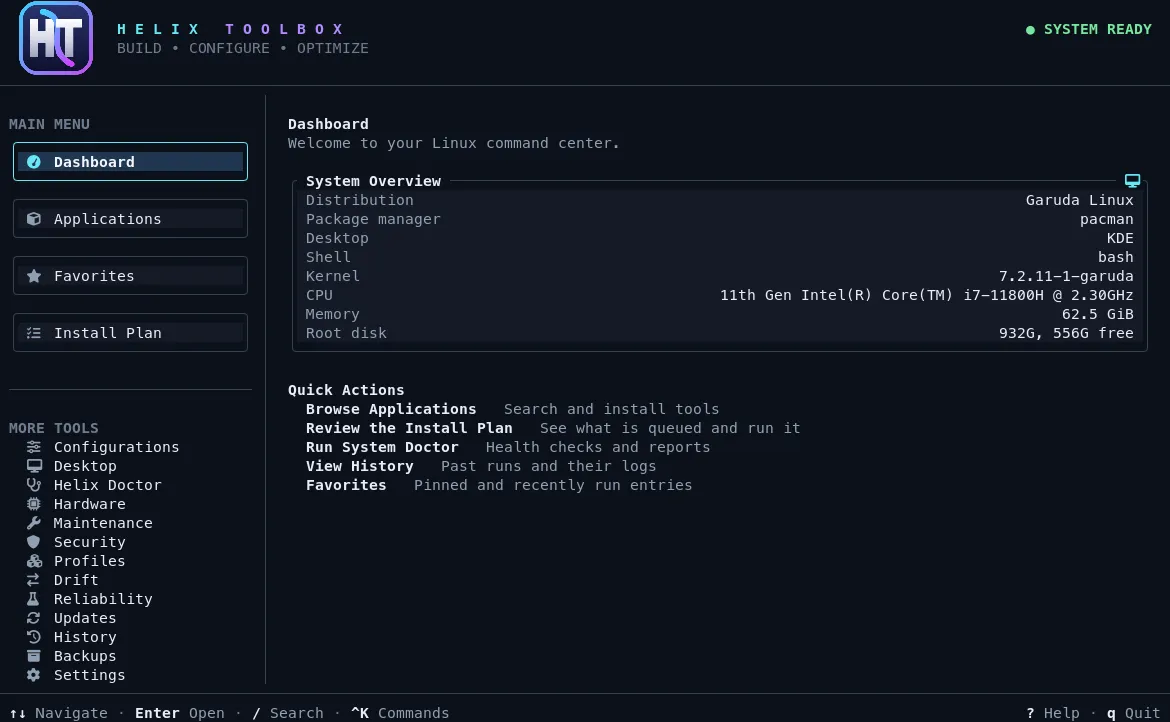
Applications, dotfiles and shell configuration, system tweaks, updates, backups and health checks. Every change is planned, shown with its risk, confirmed, verified and recorded.
Download v1.25.8Source on GitHubDocumentation
Released October 25, 2026.
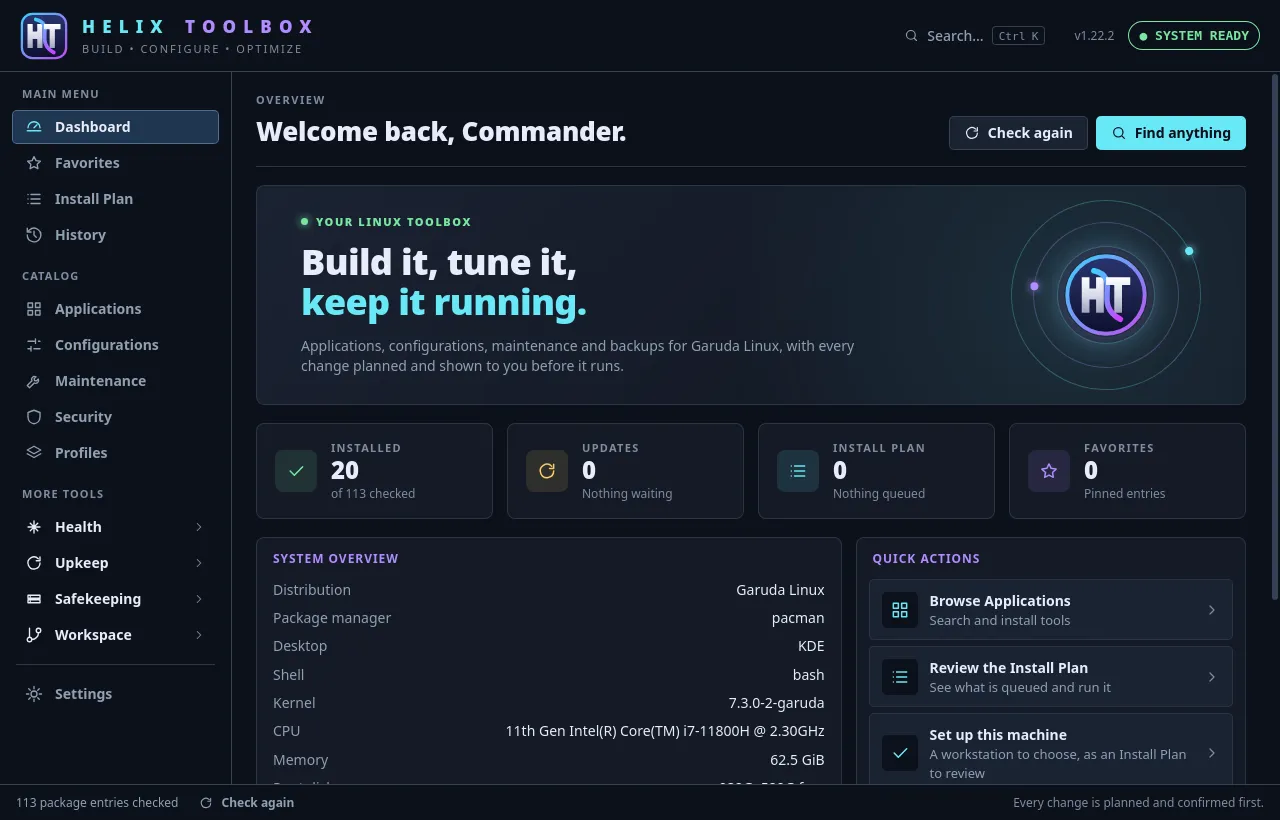
What it does
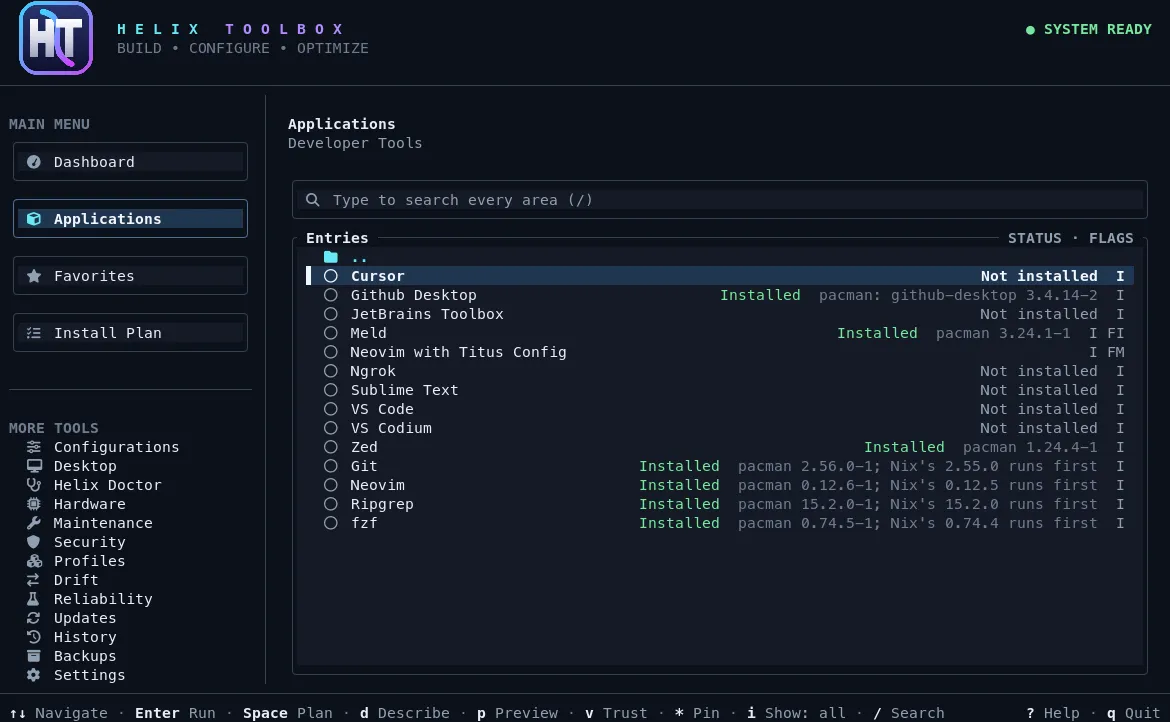
- A catalog of hundreds of applications and tweaks, with profiles and a first-run wizard for developer, gaming, privacy and minimal setups.
- Knows your machine: what is installed and from where (pacman, apt, dnf, zypper, AUR, Flatpak), its version and any waiting updates.
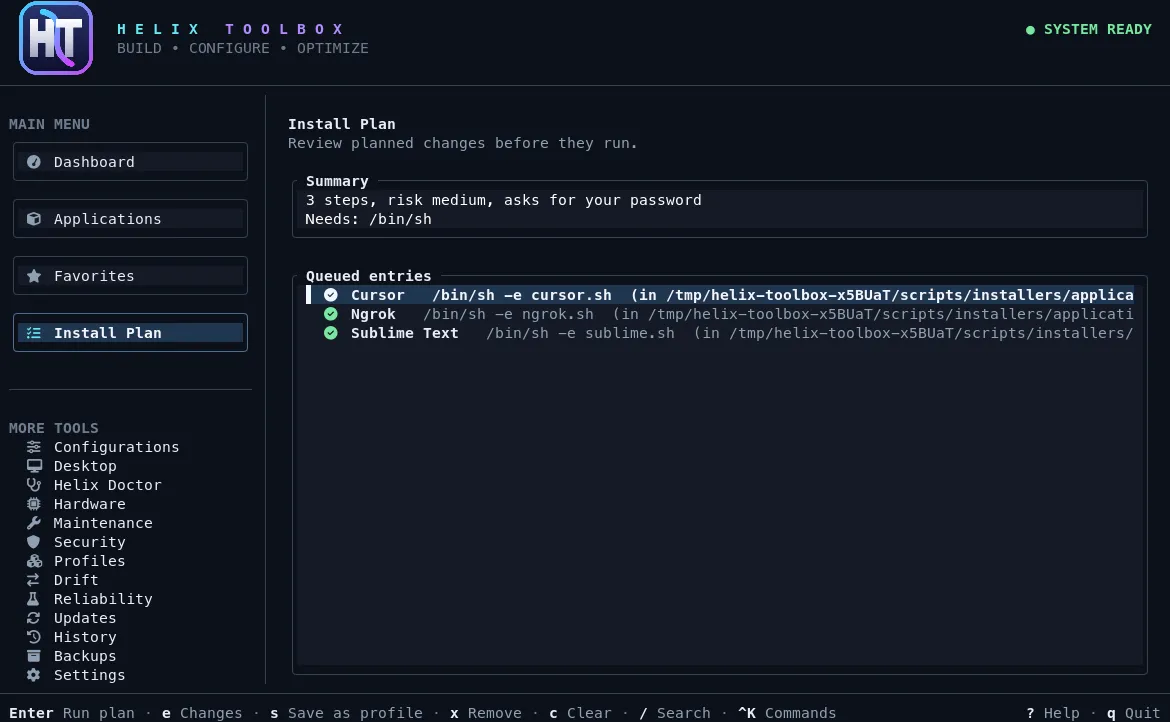
- The Install Plan shows every step, its risk and any password prompt, and checks conflicts, repositories, hardware and disk space before anything runs.
- Runs are verified, fall back from the AUR to Flathub when they need to, and land in a history you can read later.
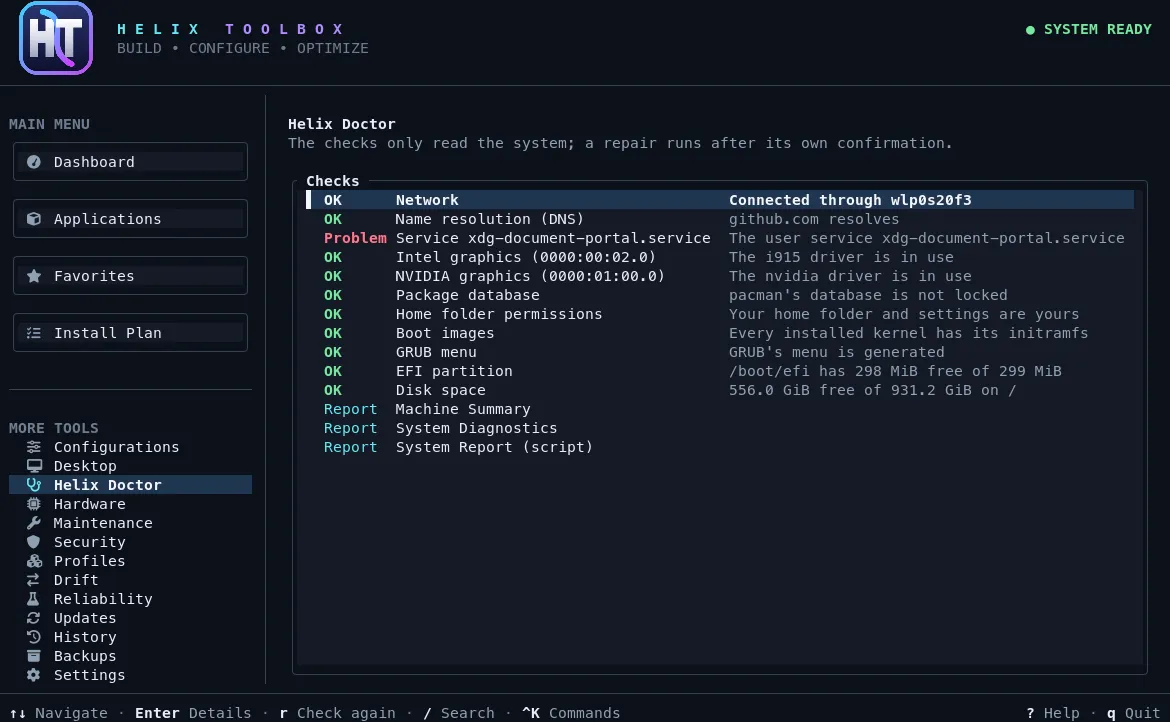
- Helix Doctor checks the system and offers repairs, which you confirm one by one.
- Snapshots with Snapper or Timeshift, and Restic backups that are test-restored and checked against SHA-256 sums.
- Drift checks, moving a setup between distributions, firmware and hardware health, systemd services, Git repositories and Home Manager generations.
- A Ctrl-K command palette, a desktop window, and a command line where everything takes --dry-run and --json.
Install
Try it without installing
curl -fsSL https://raw.githubusercontent.com/Commanderx-code/Helix-toolbox/main/start.sh | shArch
Download the package from the latest release, then:
sudo pacman -U helix-toolbox-*-x86_64.pkg.tar.zstDebian and Ubuntu
sudo apt install ./helix-toolbox_*_amd64.debFedora
sudo dnf install ./helix-toolbox-*.x86_64.rpmAny distribution, with Cargo
cargo install --locked helix-toolboxRequirements
Linux on x86_64 or aarch64 with glibc 2.35 or later. Tested on Arch, Debian, Ubuntu 22.04 and 24.04, Fedora and openSUSE Tumbleweed.
MIT license.